eslint 9.x 升级或使用指南,eslint.config.js 配置,包含 react、typescript、prettier 等常用配置升级迁移
不再支持 Node v19.x 和 LTS18.18.0 版本
名词解释:
LTS:Long-Term Support是Node的长期支持版本(维护和安全更新),通常每隔两年发布一次,特点是稳定和可靠性,建议生产使用。- 非
LTS(current):是Node的最新开发版本,通常每隔几个月发布一次,包含最新的功能和实验特性,缺乏稳定性。
Flat 配置文件取代 eslintrc 配置
新版 eslint.config.{js,cjs,mjs} 已经取代了 .eslintrc 配置文件,如果你是 “怀旧派” 可以将你的环境变量 ESLINT_USE_FLAT_CONFIG 设为 false,但 Implement Flat Config 中已经明确表示在下一阶段(10.x)中会移除对旧配置文件的兼容。
eslint.config.js
eslint 9 中支持 Common JS 和 ESM 两种配置文件格式,推荐使用 ESM。
eslint.config.js
const eslint = require('@eslint/eslint');
module.exports = [
eslint.configs.recommended,
{
name: 'custom-lint-config',
files: ['*.js'],
rules: {
'no-undef': 0,
},
},
];eslint.config.mjs
`import eslint from '@eslint/eslint';
export default [
eslint.configs.recommended,
{
name: 'custom-lint-config',
files: ['*.js'],
rules: {
'no-undef': 0,
},
},
];`新 Rule:no-useless-assignment
no-useless-assignment 规则用于检测无用的赋值操作,例如 let id = 1234; 中 1234 没有被使用。
let id = 1234;
id = calculateId();可无参数运行 eslint 命令
在 flat config 中,不向 CLI 中传入任何参数时,eslint 会默认对当前目录进行 lint 检查,如:npx eslint
npx eslint使用 eslint 推荐配置来初始化 lint 规则。在 flat config 中,配置顺序也尤为重要,若规则相同,后面的配置会覆盖前面的配置。 或者定义全局生效的 rules 和 ignores, 来覆盖。
pnpm add eslint @eslint/js -D若你的配置对象的 key 仅有 files 或 ignores 时,那么这些规则将全局生效。
eslint.config.mjs
import eslint from '@eslint/js';
const flatConfig = [
{
name: 'some global cofig here',
languageOptions: {
globals: {
},
},
rules: {
'no-unused-vars': 0,
},
},
{
name: 'some user comfig here',
files: ['src/**.{ts, tsx}'],
rules: {
},
},
{
files: ['src/**.{ts, tsx}'],
},
{
ignores: ['dist'],
},
];
export default [
eslint.configs.recommended,
...flatConfig,
];本文档包含 typescript、react、prettier、babel 等常用配置的升级迁移,更多配置请查看官方文档的迁移指南或查看仓库说明。
typescript-eslint
typescript-eslint 提供了在 flat config 中使用推荐配置来帮你快速开箱,该推荐配置默认包含 @typescript-eslint/parser 和 @typescript-eslint/eslint-plugin。
使用 typescript-eslint 推荐配置
若需要覆盖 rules,需定义 global rules
https://typescript-eslint.io/getting-started/ > https://github.com/typescript-eslint/typescript-eslint
pnpm add typescript typescript-eslint -Deslint.config.mjs
`import eslint from '@eslint/js';
import tsEslint from 'typescript-eslint';
const flatConfig = [
{
name: 'some comfig here',
rules: {
},
},
{
rules: {
'@typescript-eslint/ban-types': 2,
},
},
];
export default tsEslint.config(
eslint.configs.recommended,
...flatConfig,
...tsEslint.configs.recommended,
);`使用 @typescript-eslint/parser 自定义
pnpm add @typescript-eslint/eslint-plugin @typescript-eslint/parser -Deslint.config.mjs
`import eslint from '@eslint/js';
import tsEslintPlugin from '@typescript-eslint/eslint-plugin';
import tsEslintParser from '@typescript-eslint/parser';
const flatConfig = [
];
const customTsFlatConfig = [
{
name: 'typescript-eslint/base',
languageOptions: {
parser: tsEslintParser,
sourceType: 'module',
},
files: ['**/*.{ts,tsx}'],
rules: {
...tsEslintPlugin.configs.recommended.rules,
'@typescript-eslint/ban-types': 2,
'@typescript-eslint/no-confusing-non-null-assertion': 2,
},
plugins: {
'@typescript-eslint': tsEslintPlugin,
},
},
];
export default [eslint.configs.recommended, ...flatConfig, ...customTsFlatConfig];`@babel/eslint-parser
@babel/eslint-parser 是 babel 官方提供的 parser,支持 babel 的所有语法特性,包括 jsx、flow、typescript 等。大部分情况下,你可能只需要 @typescript-eslint/parser 即可
pnpm add @babel/eslint-parser @babel/preset-env -D配置时请注意多个 parser 之间顺序。
eslint.config.mjs
`import eslint from '@eslint/js';
import tsEslintPlugin from '@typescript-eslint/eslint-plugin';
import tsEslintParser from '@typescript-eslint/parser';
import babelParser from '@babel/eslint-parser';
const flatConfig = [
];
const customTsFlatConfig = [
];
const bableConfig = {
name: 'babel-parser',
languageOptions: {
parser: babelParser,
parserOptions: {
babelOptions: {
babelrc: false,
configFile: false,
browserslistConfigFile: false,
presets: ['@babel/preset-env'],
},
requireConfigFile: false,
},
},
};
export default [eslint.configs.recommended, ...flatConfig, bableConfig, ...customTsFlatConfig];`eslint-plugin-react、eslint-plugin-react-hooks
同样,eslint-plugin-react 也提供了 flat config 的推荐配置,你可以直接使用它们。
https://github.com/jsx-eslint/eslint-plugin-react > https://github.com/facebook/react/tree/main/packages/eslint-plugin-react-hooks
pnpm add eslint-plugin-react eslint-plugin-react-hooks globals -Deslint.config.mjs
`import eslint from '@eslint/js';
import tsEslintPlugin from '@typescript-eslint/eslint-plugin';
import tsEslintParser from '@typescript-eslint/parser';
import babelParser from '@babel/eslint-parser';
import reactPlugin from 'eslint-plugin-react';
import reactHooksPlugin from 'eslint-plugin-react-hooks';
import globals from 'globals';
const flatConfig = [
];
const customTsFlatConfig = [
];
const bableConfig = {
};
const reactConfig = {
name: 'react-eslint',
files: ['**/*.{js,jsx,mjs,cjs,ts,tsx}'],
plugins: {
react: reactPlugin,
'react-hooks': reactHooksPlugin,
},
languageOptions: {
...reactPlugin.configs.recommended.languageOptions,
globals: {
...globals.es2022,
...globals.browser,
...globals.node,
},
},
rules: {
...reactPlugin.configs.recommended.rules,
'react/react-in-jsx-scope': 0,
},
settings: {
react: {
version: 'detect',
},
},
};
export default [
eslint.configs.recommended,
...flatConfig,
bableConfig,
reactConfig,
...customTsFlatConfig,
];`或者直接使用 推荐配置
eslint.config.mjs
`import reactPlugin from 'eslint-plugin-react';
export default [reactPlugin.configs.recommended];`eslint-plugin-prettier
eslint-plugin-prettier 用于将 prettier 的格式化规则转换为 eslint 的规则,以便在 eslint 中使用 prettier 的格式化规则。
https://github.com/prettier/eslint-plugin-prettier/tree/master
pnpm add eslint-plugin-prettier eslint-config-prettier -Deslint.config.mjs
`import eslint from '@eslint/js';
import eslintPluginPrettierRecommended from 'eslint-plugin-prettier/recommended';
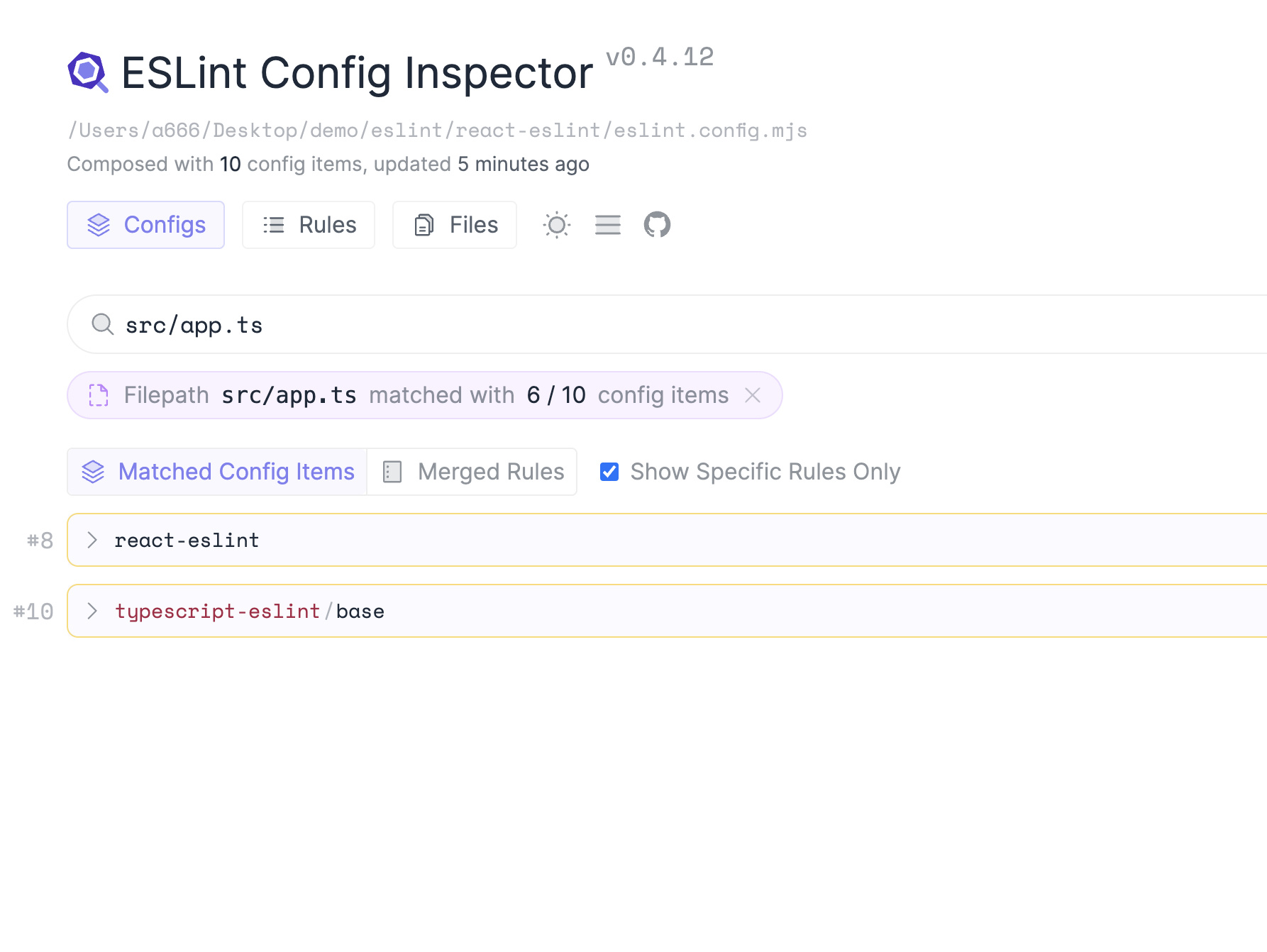
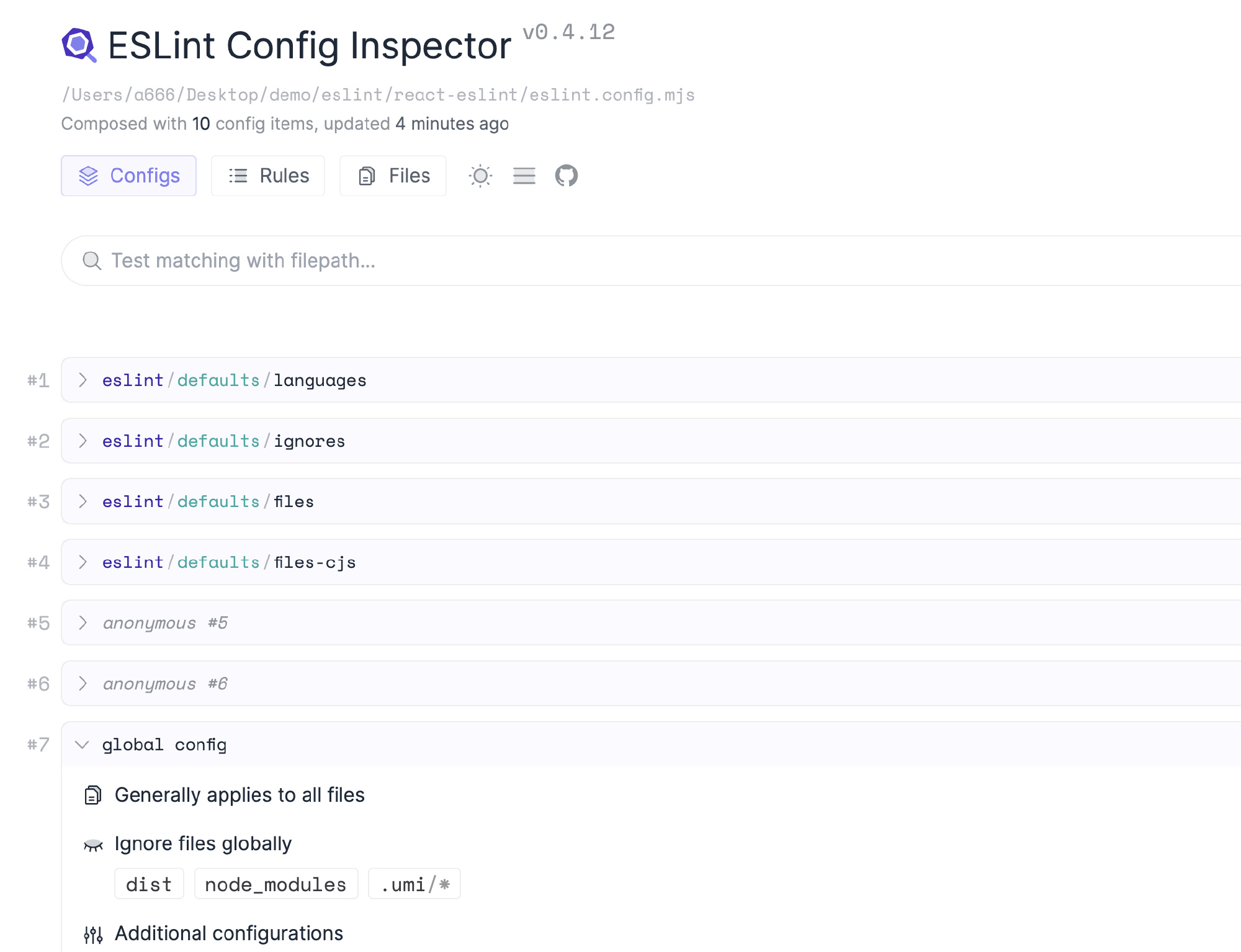
export default [eslint.configs.recommended, eslintPluginPrettierRecommended];`使用 @eslint/config-inspector 来检测配置的规则或 parser 是否命中。match 的 config name 为每项 flat config 的 name
配置汇总
eslint.config.mjs
`import eslint from '@eslint/js';
import tsEslintPlugin from '@typescript-eslint/eslint-plugin';
import tsEslintParser from '@typescript-eslint/parser';
import tsEslint from 'typescript-eslint';
import eslintPluginPrettierRecommended from 'eslint-plugin-prettier/recommended';
import reactPlugin from 'eslint-plugin-react';
import reactHooksPlugin from 'eslint-plugin-react-hooks';
import babelParser from '@babel/eslint-parser';
import globals from 'globals';
const customTsFlatConfig = [
{
name: 'typescript-eslint/base',
languageOptions: {
parser: tsEslintParser,
sourceType: 'module',
},
files: ['**/*.{ts,tsx}'],
rules: {
...tsEslintPlugin.configs.recommended.rules,
'@typescript-eslint/ban-types': 2,
'@typescript-eslint/no-confusing-non-null-assertion': 2,
},
plugins: {
'@typescript-eslint': tsEslintPlugin,
},
},
];
const flatConfig = [
{
name: 'global config',
languageOptions: {
globals: {
...globals.es2022,
...globals.browser,
...globals.node,
},
parserOptions: {
warnOnUnsupportedTypeScriptVersion: false,
},
},
rules: {
'no-dupe-class-members': 0,
'no-redeclare': 0,
'no-undef': 0,
'no-unused-vars': 0,
},
},
{
name: 'react-eslint',
files: ['**/*.{js,jsx,mjs,cjs,ts,tsx}'],
plugins: {
react: reactPlugin,
'react-hooks': reactHooksPlugin,
},
languageOptions: {
...reactPlugin.configs.recommended.languageOptions,
},
rules: {
...reactPlugin.configs.recommended.rules,
'react/react-in-jsx-scope': 0,
},
settings: {
react: {
version: 'detect',
},
},
},
{
name: 'babel-parser',
languageOptions: {
parser: babelParser,
parserOptions: {
babelOptions: {
babelrc: false,
configFile: false,
browserslistConfigFile: false,
presets: ['@babel/preset-env'],
},
requireConfigFile: false,
},
},
},
{
ignores: ['dist'],
}
];
export default [
eslint.configs.recommended,
eslintPluginPrettierRecommended,
...flatConfig,
...customTsFlatConfig,
];`如果您觉得这篇文章有帮助,请点个赞吧~
评论
请登录后发表评论
去登录